Events
Events are single pieces of telemetry data that drive analytics and insights. Understand how to send custom events and configure auto-captured events.
What is an Event?
An event in Journium is a single piece of telemetry data. Its the primary primitive that drives all the analytics and insights. When you use the Journium SDK, you are essentially sending events to Journium. Some events are auto-captured by the SDK, such as page views, clicks, form submissions, and errors, but you can control what you send to Journium.
Event Structure
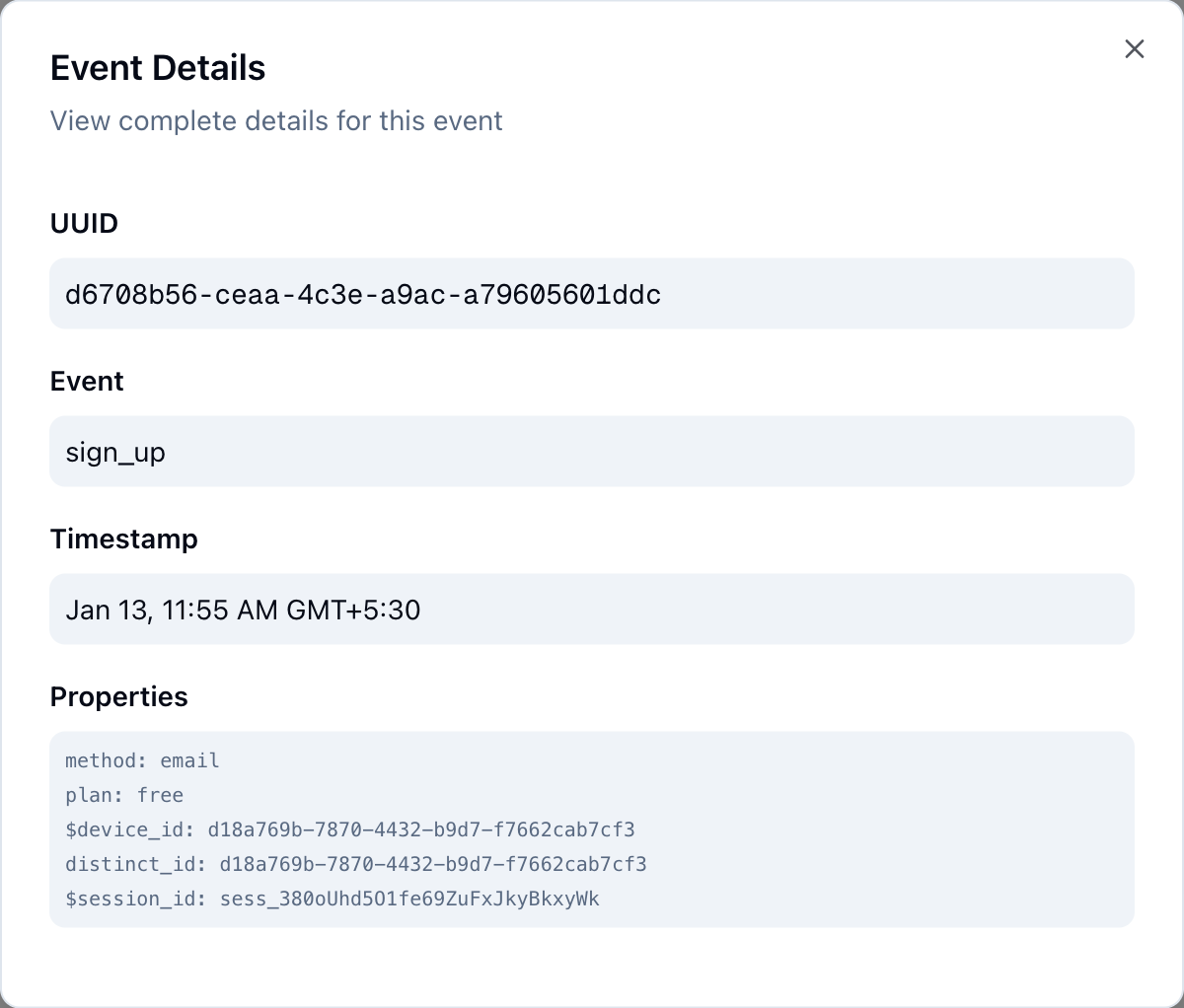
An event in Journium has the following structure:
{
  event: string;
  properties: Record<string, unknown>;
}event: The name of the event.properties: A record of key-value pairs that you can use to add additional context to the event.
Event Types
There are two main types of events in Journium:
- Custom Events
- Auto-captured Events
Custom Events
Custom Events are events that you manually send to Journium. You can send any event you want to Journium, and you can add any properties you want to the event.
import { useTrackEvent } from '@journium/nextjs';

function ProductPage() {
  const trackEvent = useTrackEvent();

  const handlePurchase = () => {
    trackEvent('purchase_started', {
      product_id: 'prod_123',
      page: 'product_detail',
      value: 29.99
    });
  };

  return <button onClick={handlePurchase}>Buy Now</button>;
}
Auto-captured Events
Auto-captured Events are events that are automatically captured by the SDK. They can be enabled or disabled by configuring the SDK. See Next.js Configuration or Configuration for more details.
Configuration Precedence When you configure at the SDK level, it overrides the configuration in the Journium dashboard. The final derived configuration is the combination of the configuration in the Journium dashboard and the configuration in the SDK with the SDK configuration taking precedence.
Viewing Events
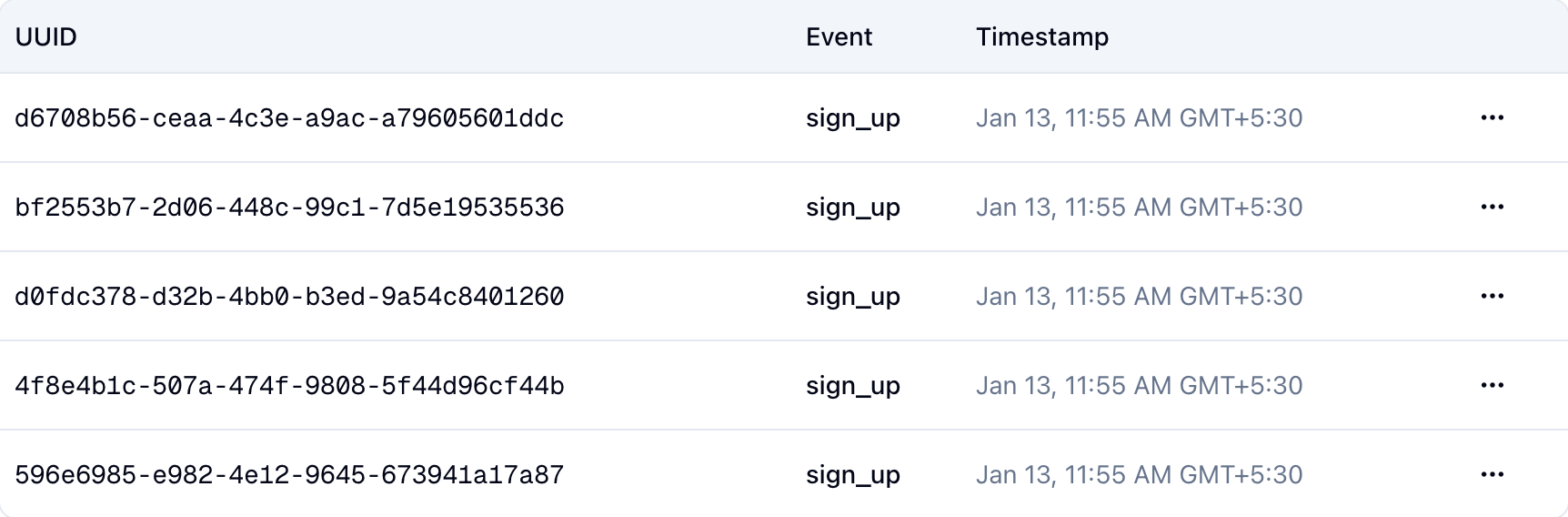
You can view events in the Journium dashboard. You can list them at Developers | Events from your application instance page.
Event Details
You can view the details of an event by clicking on the event in the events listing.
Event Simulator
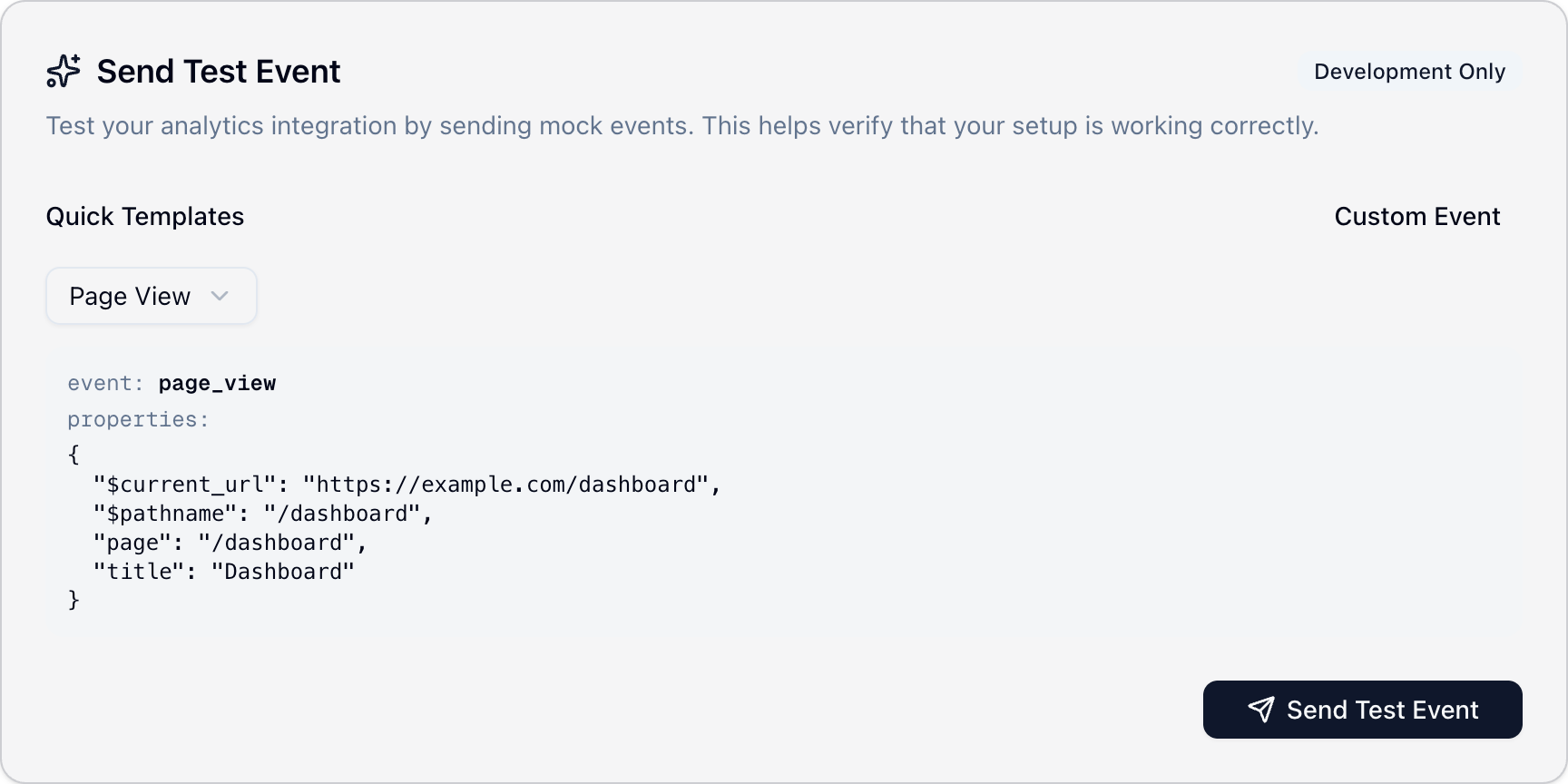
In your Development instance, you can test your event tracking by using the Event Simulator. It enables you to impersonate your app temporarily and send events on behalf of your app. This isuseful when you have not yet added custom eventsin your app via the SDK and want to test tracker execution based on events
You can access it at Developers | Event Simulation.
How is this guide?
Last updated on
Applications
Applications in Journium are containers for event tracking configuration, insight trackers, and app insights. Create and manage Development and Production instances.
Insight Trackers
Insight Trackers use AI-driven analytics to automatically transform raw event data into actionable insights. Configure trackers in the dashboard to continuously monitor your application and surface meaningful patterns.